
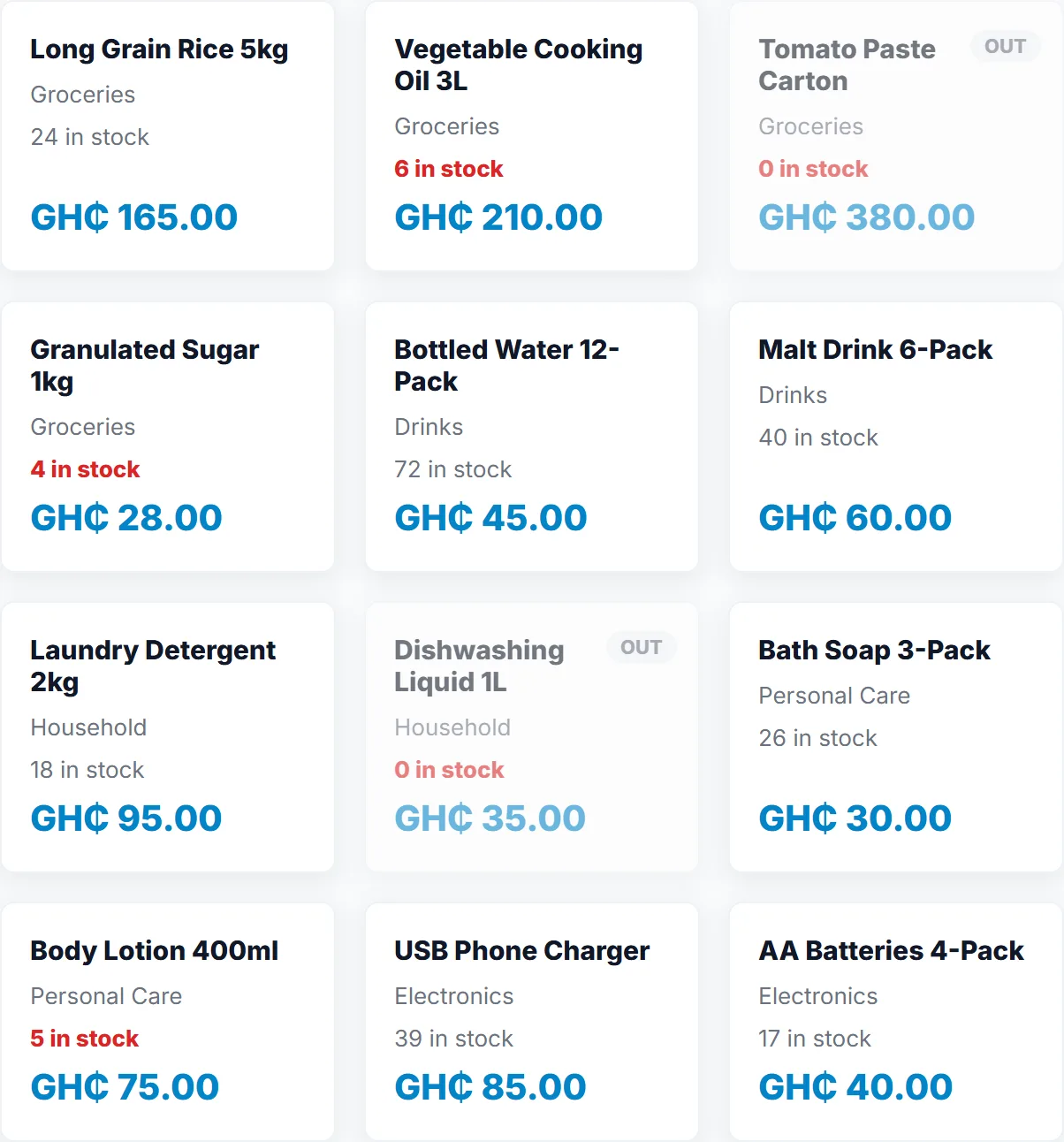
Stock levels where you sell
The checkout screen shows how many of each product are left. Items at or below their low-stock level are shown in red, and items with no stock are marked OUT and cannot be sold.
Inventory and stock management
Keep every product, batch and expiry date in one list. Stock goes down with every sale, and low-stock and out-of-stock items are flagged before they cost you a sale.
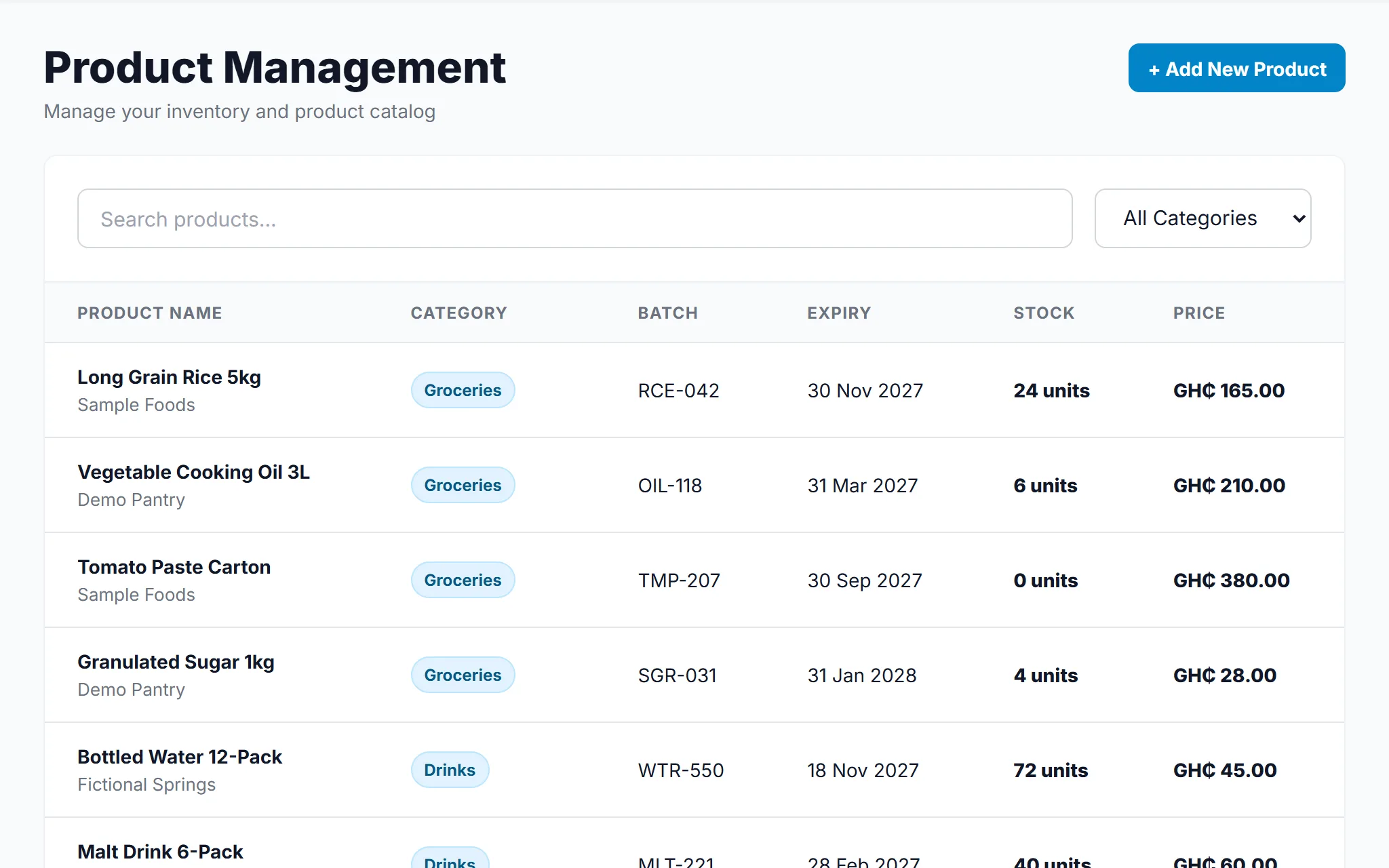
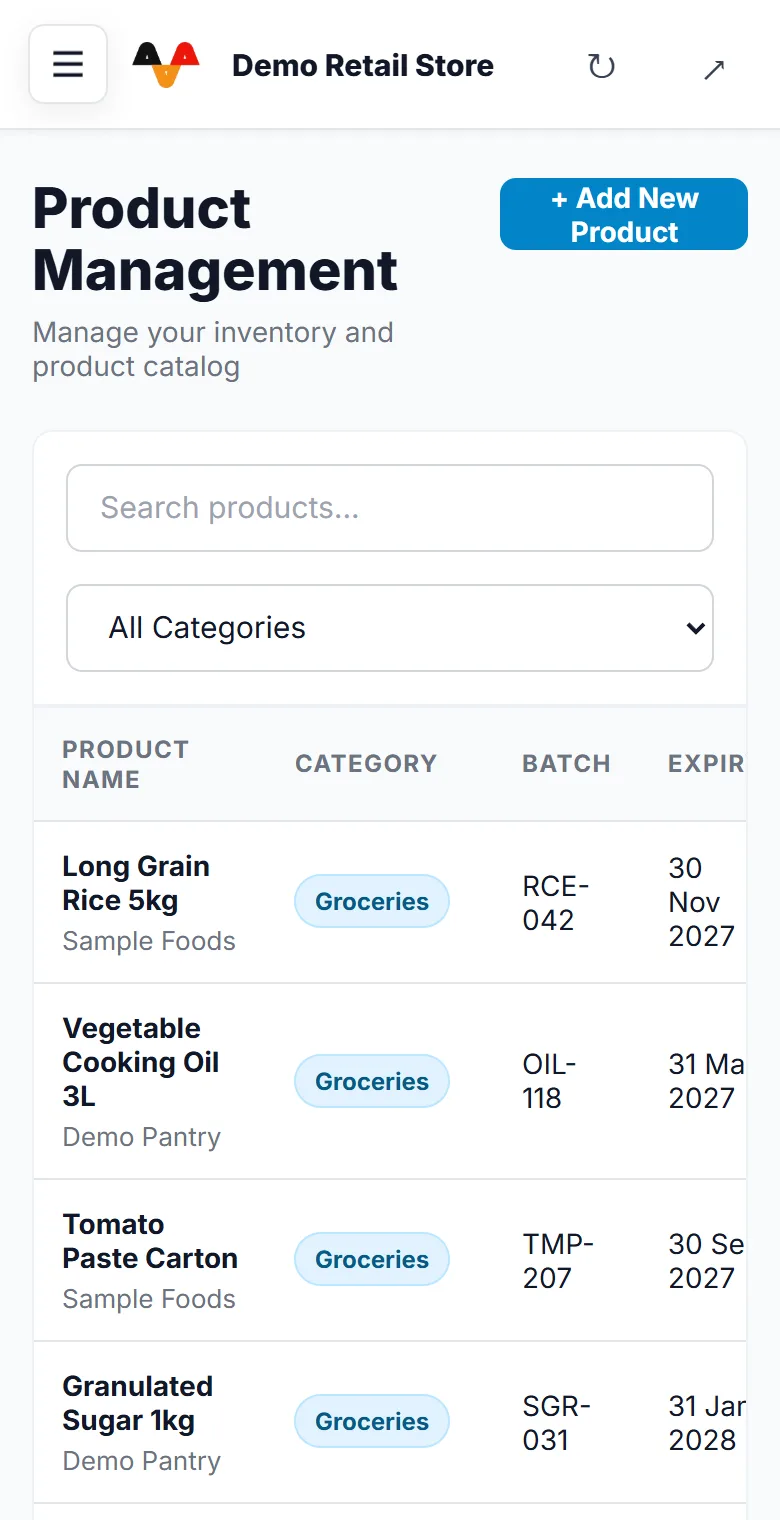
Screens from the Sonnet POS demo. All data is fictional.
Every product in Sonnet POS records the details below. Search the list by name or brand, or filter it by category. Batch numbers and expiry dates matter most for pharmacies, veterinary and agro-vet shops, and anyone selling food or drinks.
The checkout screen shows how many of each product are left. Items at or below their low-stock level are shown in red, and items with no stock are marked OUT and cannot be sold.
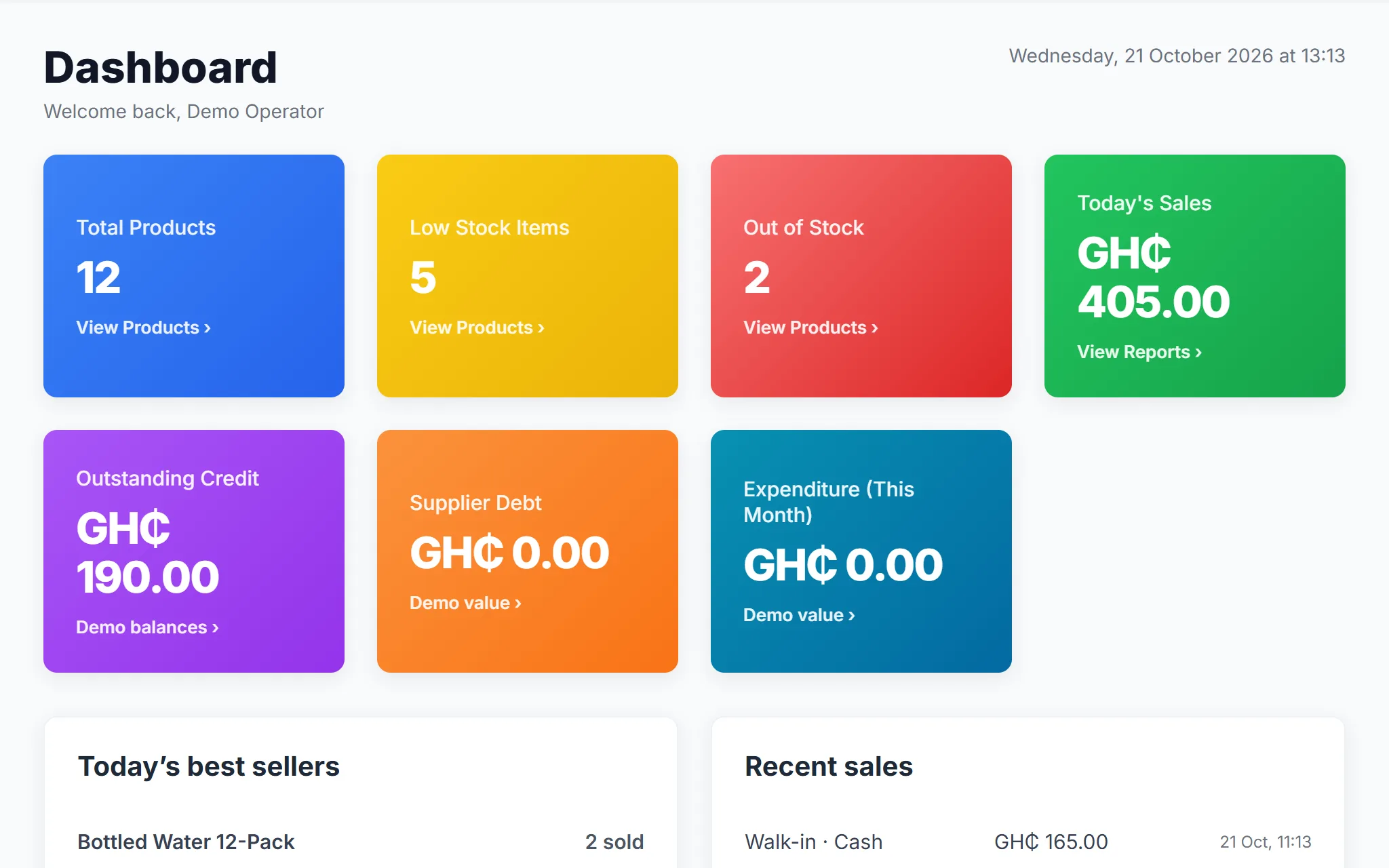
The dashboard counts your low-stock and out-of-stock items, next to today’s sales and outstanding customer credit. The reports list every low-stock product against its threshold.
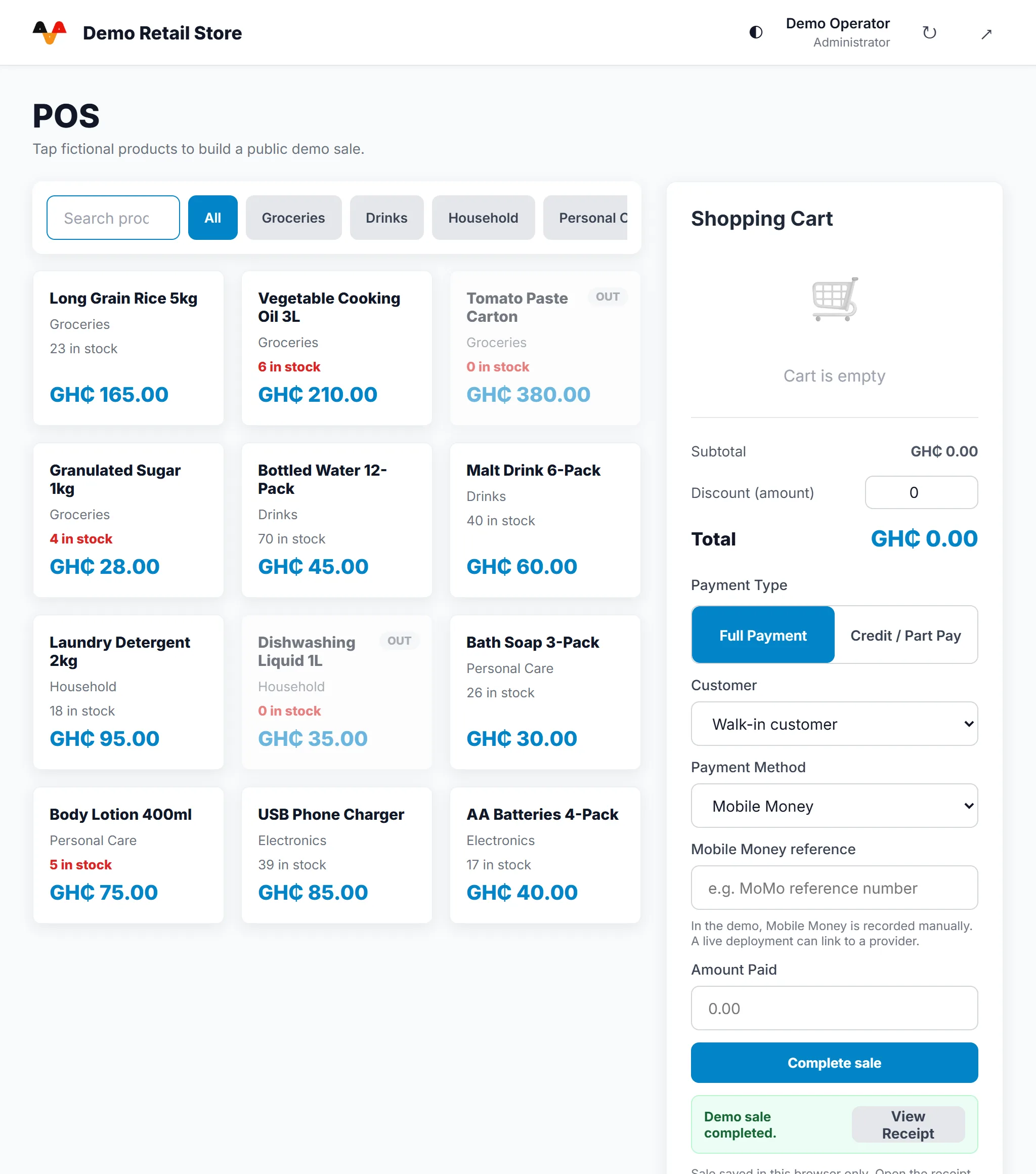
When a sale is completed, stock for each item goes down straight away, and the sale appears in the reports. There is no separate stock update to remember.
These features are not in the public demo. We configure them for businesses that need them.
Count what is on the shelf and record adjustments, with a reason for each change.
Supplier records, purchase orders, goods received and supplier balances.
Move stock between shops and keep each branch’s count correct.
Track inbound and outbound stock by storage location.
Record spending by category next to your sales.
Scan items at receiving and at the till.
Show us how you track stock today. We’ll show you how it would look in Sonnet POS.