Sonnet Solutions

Sonnet POS

A POS system built for how businesses in Ghana sell.

Sonnet POS takes you from product search to printed receipt in a few taps, with cash, Mobile Money, credit and advance payments, customer balances and daily reports in the same system.

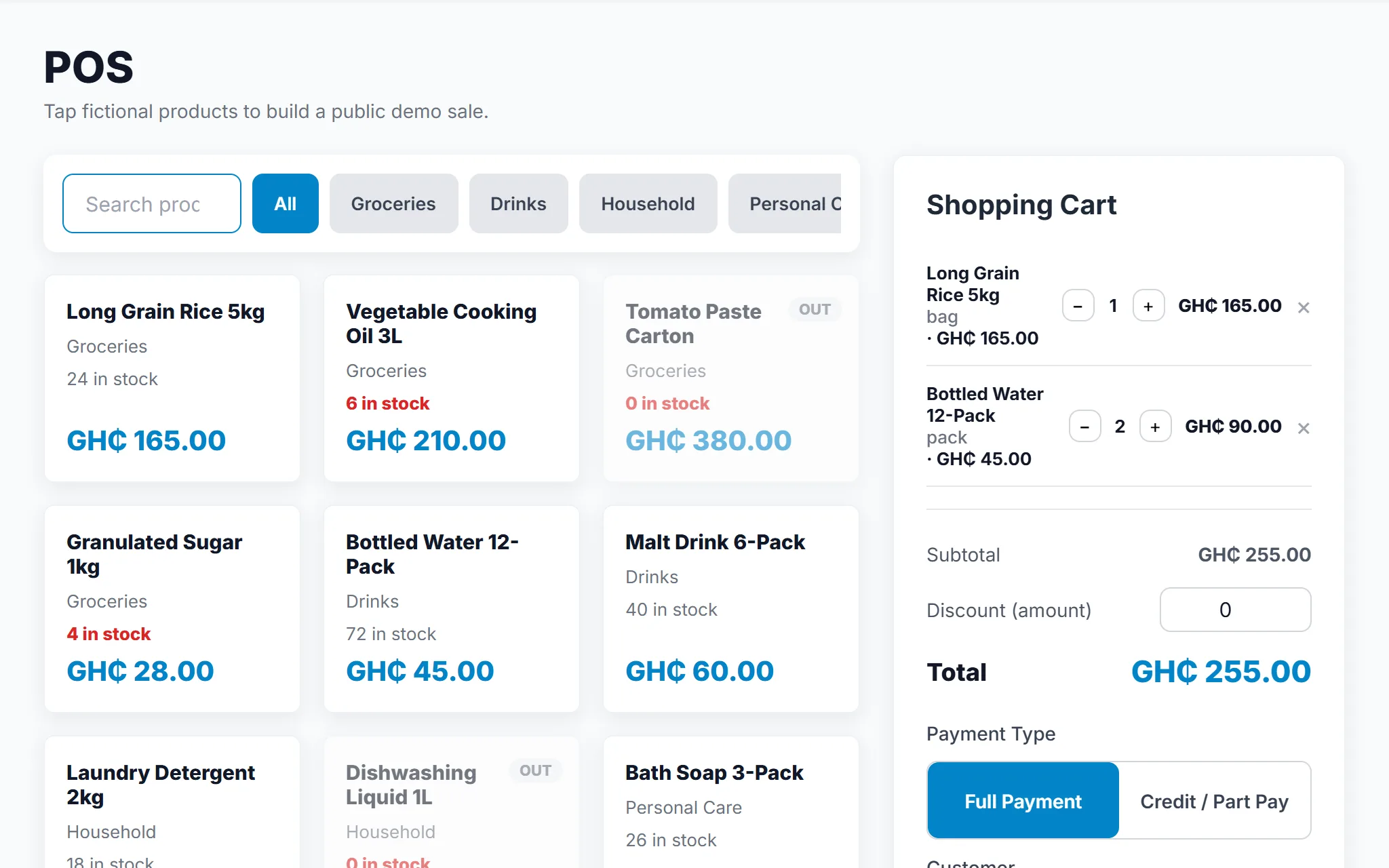
Sonnet POS demo checkout: product cards on the left and a cart with rice and bottled water on the right
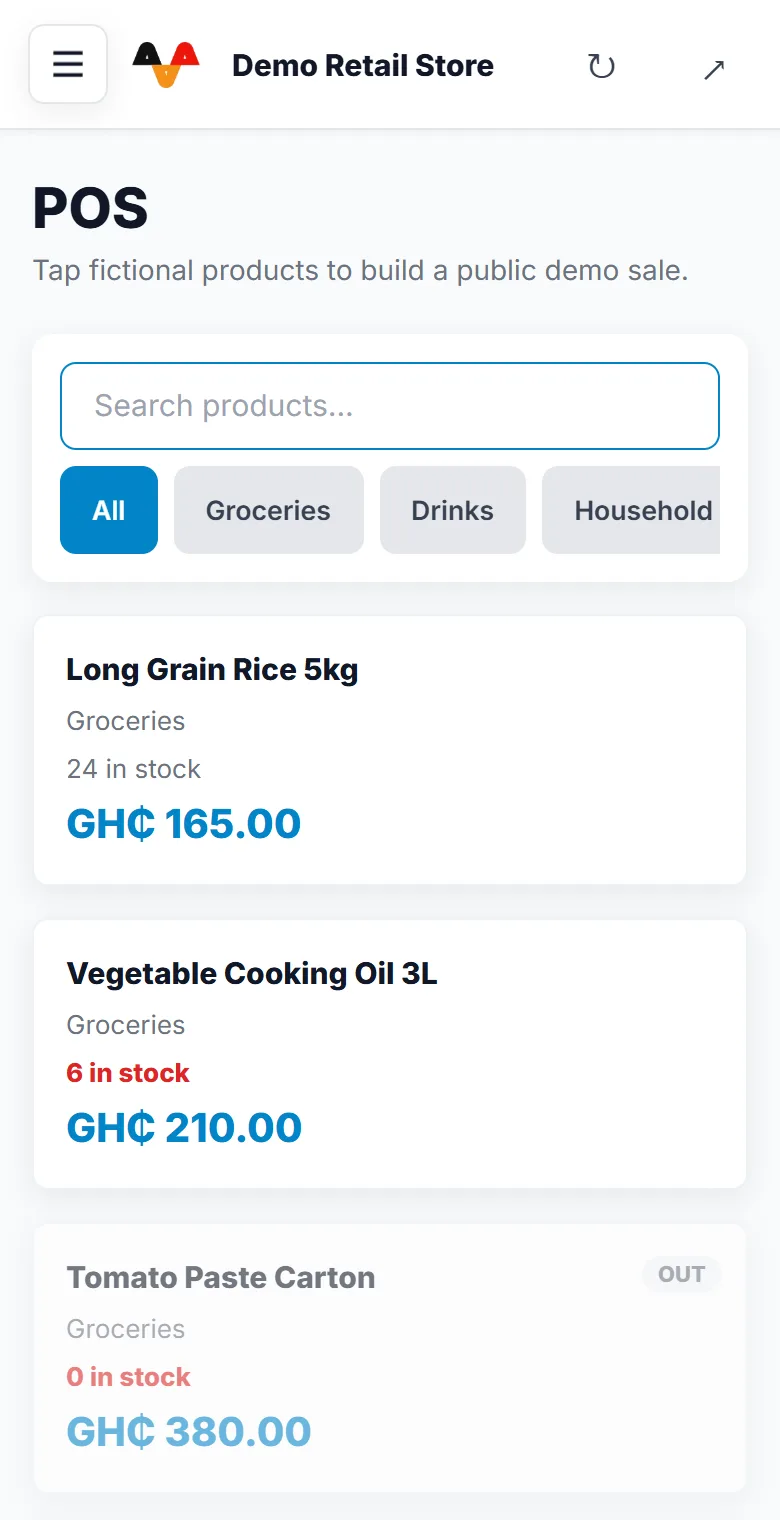
The same POS screen on a phone

Screens from the Sonnet POS demo. All data is fictional.

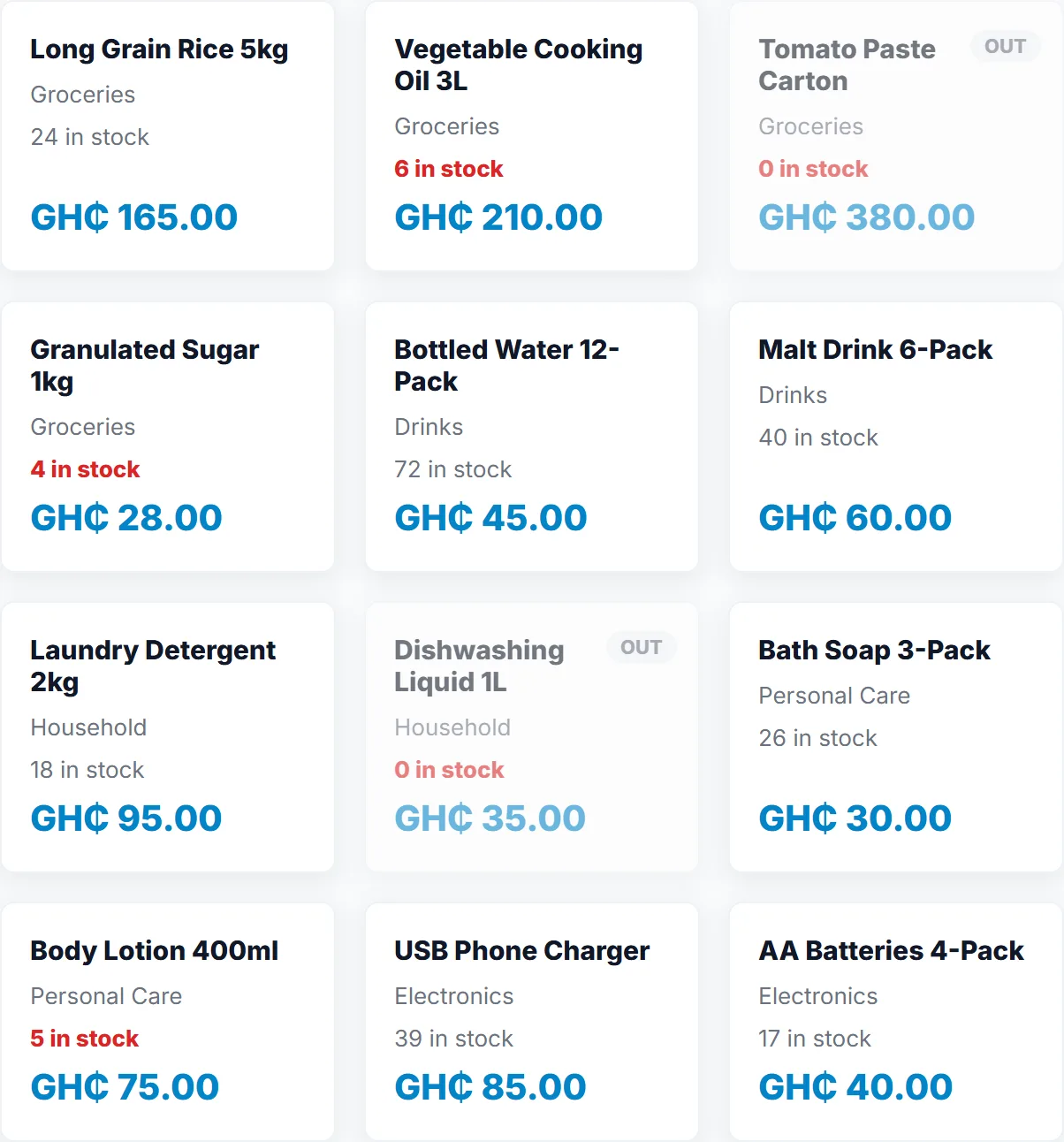
Demo POS product cards showing name, category, stock count and price, with low-stock counts in red and out-of-stock items marked OUT

Fast, clear checkout

Cashiers search by name or filter by category, then tap product cards to build the sale. Each card shows the price and how many are left, so nobody sells stock that is not there.

  • Search and category filters
  • Stock level on every product card
  • Out-of-stock items cannot be added
  • Discount per sale, shown on the receipt
Try a sale in the demo →
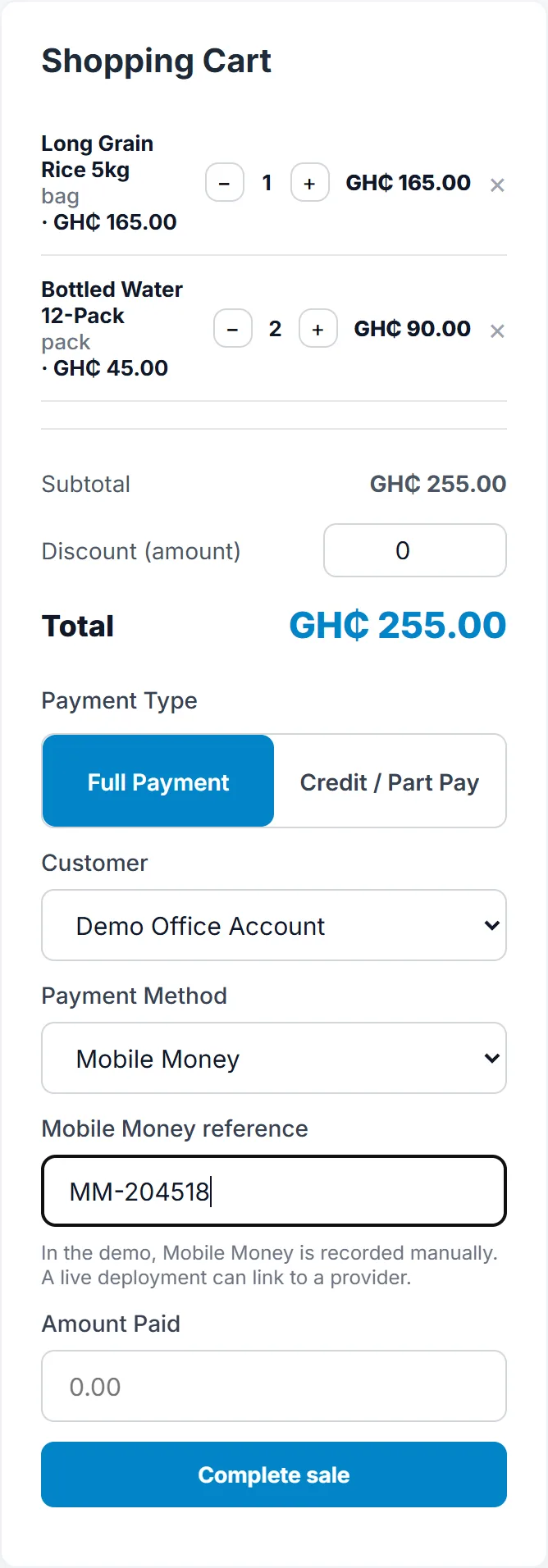
Demo shopping cart with Mobile Money selected and a payment reference entered

Cash, Mobile Money, credit and advance

Every sale records how it was paid. Mobile Money sales keep the payment reference, credit sales add to the customer’s balance, and advance payments are drawn down as the customer buys.

  • Cash payments
  • Mobile Money with a payment reference
  • Credit sales, with a credit limit checked at checkout
  • Advance balances paid in and used later
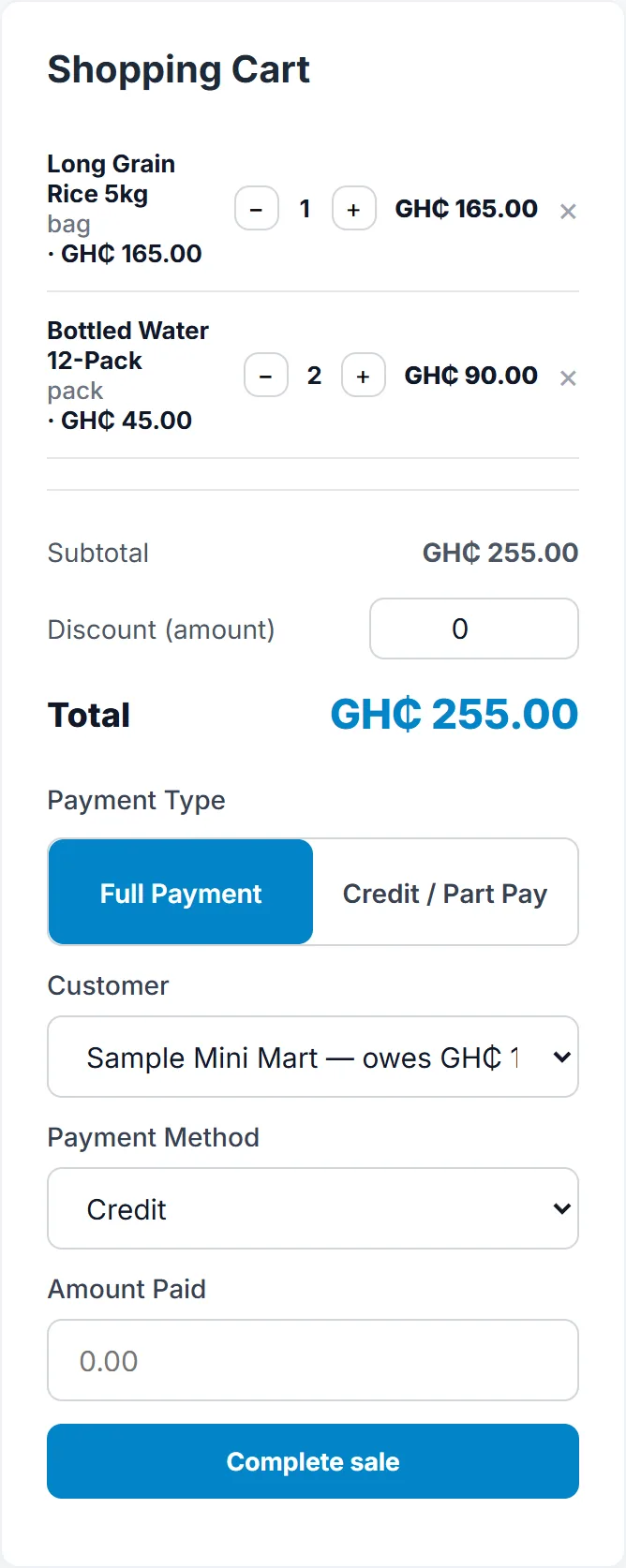
Demo shopping cart with the customer Sample Mini Mart, who owes a balance, paying on credit

Customer accounts and balances

Choose a walk-in customer or a saved account. The checkout shows what the customer already owes before you sell to them on credit.

  • Walk-in or saved customer on every sale
  • Credit balance shown when you pick the customer
  • Outstanding credit totalled on the dashboard
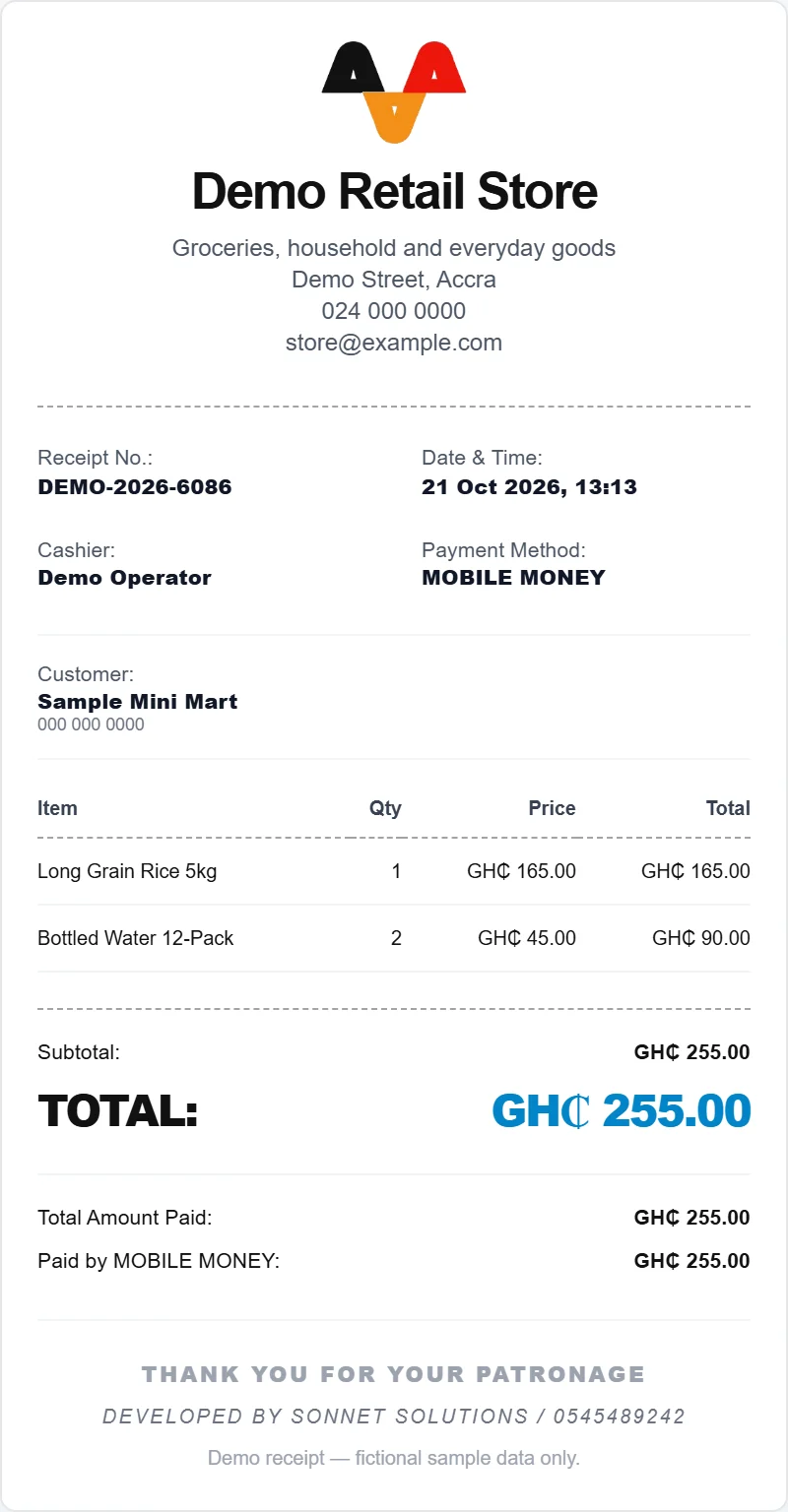
Demo 80mm receipt from Demo Retail Store: receipt number, cashier, customer, items, total and Mobile Money payment

80mm thermal receipts

Each completed sale produces a receipt sized for 80mm thermal printers, with your business details, receipt number, cashier, customer, items and payment method.

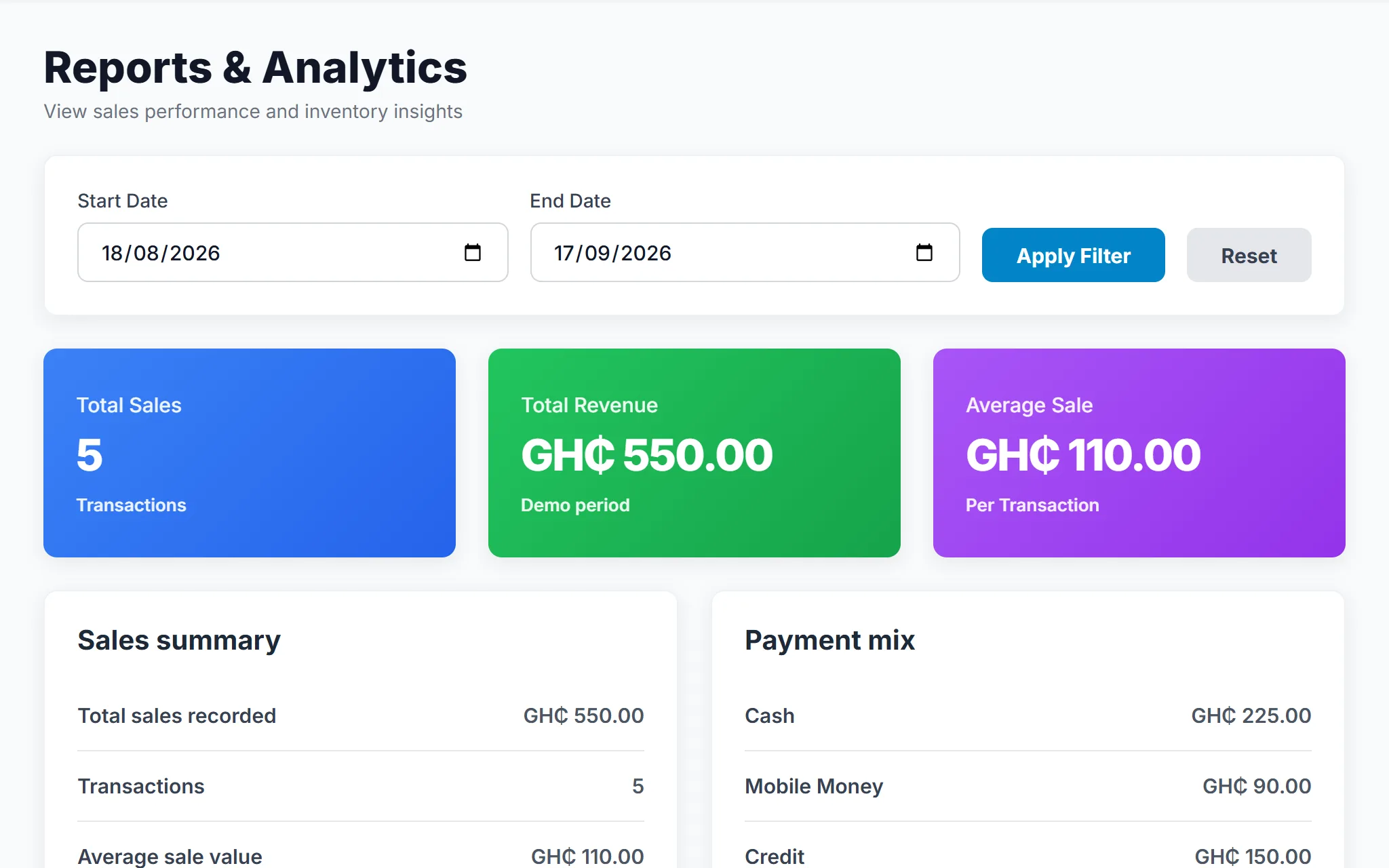
Demo reports screen with total sales, revenue and average sale figures

Reports you can act on

See transaction counts, revenue, average sale value, a sales summary, best sellers and your payment mix. Every completed sale appears in the reports straight away.

Open the reports in the demo →
Sonnet POS demo on a phone: product search, category chips and product cards

Works on desktop, tablet and phone

Sonnet POS runs in a web browser. The layout adapts to smaller screens, so owners and managers can check sales and stock from a phone.

Configurable for your business

These capabilities are not in the public demo. We set them up for deployments that need them.

  • Available on request

    Staff accounts and roles

    Cashier and manager sign-ins, with every sale, adjustment and payment linked to the person who made it.

  • Available on request

    Barcode scanning

    Scan products at the till instead of searching.

  • Available on request

    Several package sizes per product

    Sell the same item by piece, pack or carton at different prices.

  • Supported in custom deployments

    Offline sales queue

    Sales are stored locally when the network drops and sync when it returns.

  • Supported in custom deployments

    Cloud or on-premises hosting

    Run the system online or on a computer at your business.

  • Supported in custom deployments

    Mobile Money provider link

    In the demo, Mobile Money is recorded manually. A live deployment can link to a provider.

  • Available on request

    Multi-branch management

    Stock and sales for each branch, reported together.

  • Available on request

    CSV export

    Export sales and stock data for your accountant.

See Sonnet POS with your own products.

Tell us what you sell and how you take payment. We’ll walk you through the system and recommend a setup.

Book a walkthrough

Leave your details and we’ll call you to arrange a time.